
Updated
—
2 min read
API Key Strategy for Payload CMS + Vercel (Tutorial)
Vercel offers a Payload starter template for deploying Payload CMS.
If using Payload as a headless CMS, you'll probably want to use Payload's API key strategy for authentication.
1. Create Third Party Access collection
While you can enable API keys for the Users collection, it's better to create a separate collection for third party access.
import type { CollectionConfig } from 'payload' export const ThirdPartyAccess: CollectionConfig = { slug: 'third-party-access', auth: { useAPIKey: true, }, fields: [], }
In the auth field, we enable API key authentication.
2. Create database migration files (important!)
If you try to deploy your app without creating database migration files, you'll get an error like this:
Error: Failed query: select "users"."id", "users"."name", ... [cause]: error: column users.enable_a_p_i_key does not exist at <unknown> (.next/server/chunks/526.js:129:29001) at async (.next/server/chunks/526.js:77:46398) at async p.queryWithCache (.next/server/chunks/526.js:371:34353) at async (.next/server/chunks/526.js:77:46188) at async k (.next/server/chunks/526.js:25:9815) at async Object.f [as findOne] (.next/server/chunks/526.js:218:80658) at async aw (.next/server/app/(payload)/admin/[[...segments]]/page.js:242:45160) { length: 120, severity: 'ERROR', code: '42703', detail: undefined, hint: undefined, position: '82', internalPosition: undefined, internalQuery: undefined, where: undefined, schema: undefined, table: undefined, column: undefined, dataType: undefined, constraint: undefined, file: 'parse_relation.c', line: '3716', routine: 'errorMissingColumn' }
To fix this, you need to create a database migration file.
npx payload migrate:create
(Learn more about Payload CMS migrations with PostgreSQL.)
Upon deploying, you should be able to access the admin panel without any errors.
3. Create API key for third party access
Logging into your admin dashboard, you should see a new collection called Third Party Access.
Create a new object and check the Enable API Key checkbox:
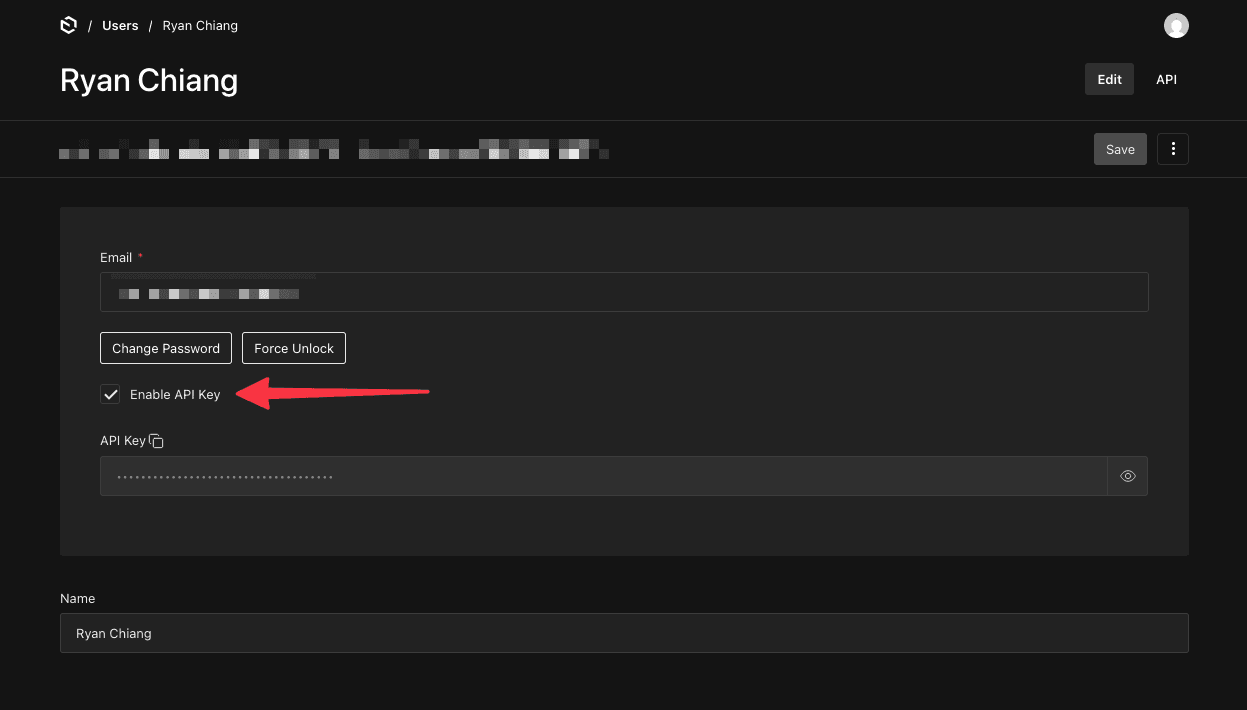
You can then copy/store the API key and use it to authenticate requests.
4. Authenticating requests to Payload CMS
const Users = 'users'; const response = await fetch(`${process.env.NEXT_PUBLIC_PAYLOAD_URL}/api/pages`, { headers: { // Only server-side! Never expose the API key to the client! Authorization: `${Users} API-Key ${process.env.NEXT_PRIVATE_PAYLOAD_API_KEY}`, }, })
And that's it! You can now authenticate requests to Payload CMS using an API key.
Join my newsletter for lessons, experiments, and failures in bootstrapping online businesses.
Sign up if you're curious. I’ll only email you if it's actually good.

Meet the Author
Ryan Chiang
Hello, I'm Ryan. I build things and write about them. This is my blog of my learnings, tutorials, and whatever else I feel like writing about.
What I'm currently building →.