Updated
—
5 min read
Amazon Prime Video: How to Fix Out-of-Sync Subtitles/Captions (MacOS Guide)
Hey! Here's my solution to a random, small problem I stumbled upon.
I'm not even an Amazon Prime Video user, but I noticed many people have reported captions being out of sync:
- Here's 6-year-old Reddit thread about the issue that's still going strong
- Multiple Amazon forum posts (see this post and this)
- People facing this issue with Crunchyroll via Prime Video (see 1, 2, and 3)
So I'd figure I'd share a (tedious but effective) workaround to fix this issue.
NoteThis workaround is NOT a universal fix and requires manual steps to fix, but it works.
This guide is for Mac OS, but it should work for other OSes. The data directories will just be different on Windows.
First, try this simple fix
Before we dive into the more involved steps, try this simple fix:
Change captions from "English" to "English (CC)" or vice versa
If you're reading this post, you've probably tried this. But if not, this can sometimes sync the subtitles properly.
Don't worry, I won't insult your intelligence by suggesting other basic steps like:
- Restarting the app
- Signing out and signing in
- Clearing browser history/cache (Wait, are you using a browser? The fix below only works on the Prime Video app for reasons I'll explain below)
So if you've done this and nothing helped, here's the real fix:
Step 1: Download the video
The only way I know to fix this issue is first by downloading the video.
ImportantYou'll need the Prime Video app, not the browser, to download videos. This fix doesn't work for streaming, unfortunately.
If you're streaming Prime Video (not watching a downloaded video) via the app or browser, this fix won't work.
Because we need access to the VTT files (basically, a file which stores captions/subtitles data), which we can only access if we download the videos.
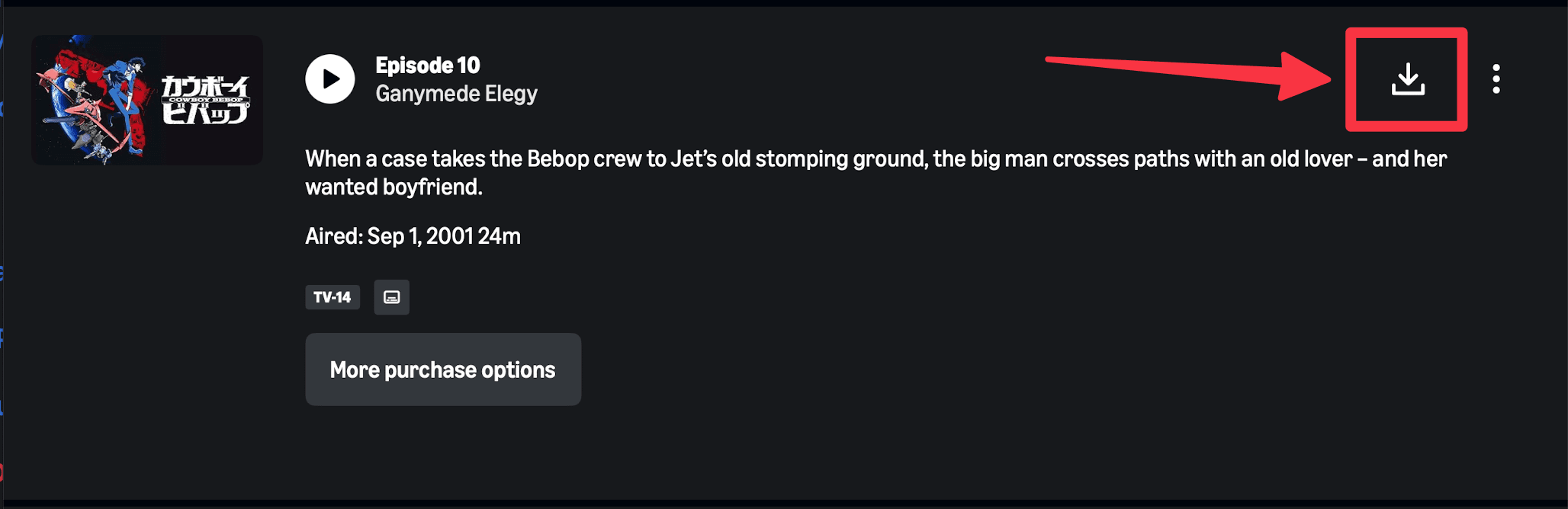
Here's how to download Amazon Prime Videos, but it's quite simple, just click this button:
Step 2: Find the Prime Video data directory
After downloading, we need to find where the videos are stored on our device.
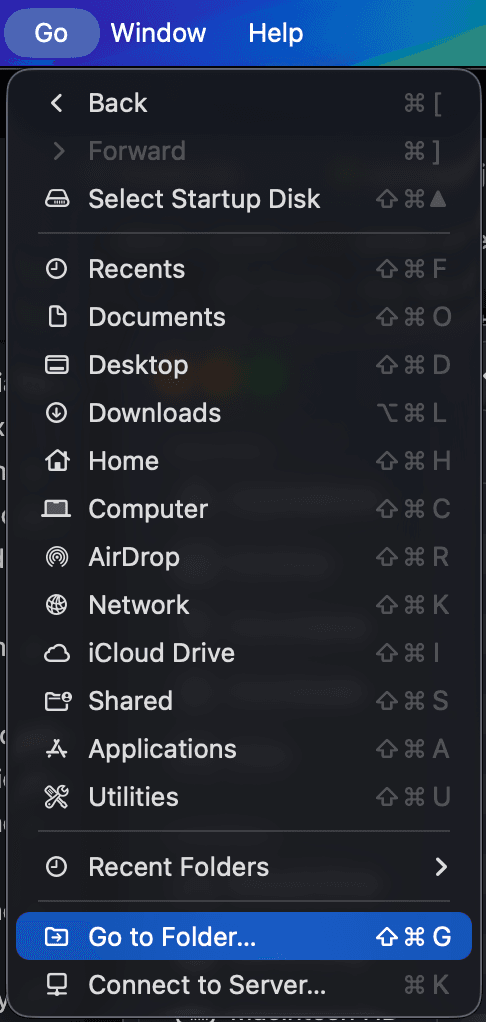
Go to Finder and create a new window.
Press Cmd + Shift + G or Go > Go to Folder:
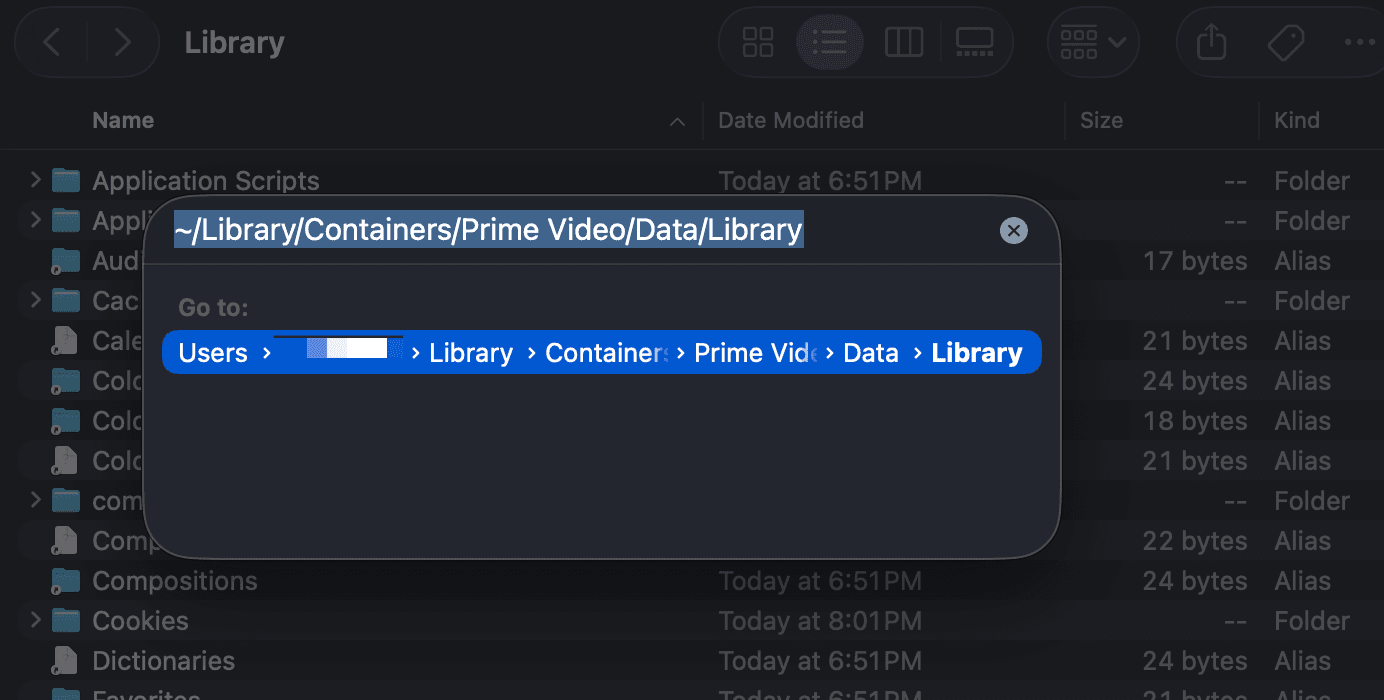
In the box that opens, type in:
~/Library/Containers/Prime Video/Data/Library
This is where things will differ on Windows (I don't know the data directory path, but it's findable)
Find the UserManagedAssets folder
Look for a folder that starts with com.apple.UserManagedAssets...
In that folder, you should see a bunch of .movpkg files.
If you've found these, you're in the right place!
Step 3: Find the English captions file
Find the video/episode you want to fix captions for
The names of the .movpkg files correspond to the video/movie/episode names.
So an episode titled Hello World will look something like Hello%20World_6F4B1C887A048A44.movpkg
Open the .movpkg
Right click the .movpkg file and click Show Package Contents:
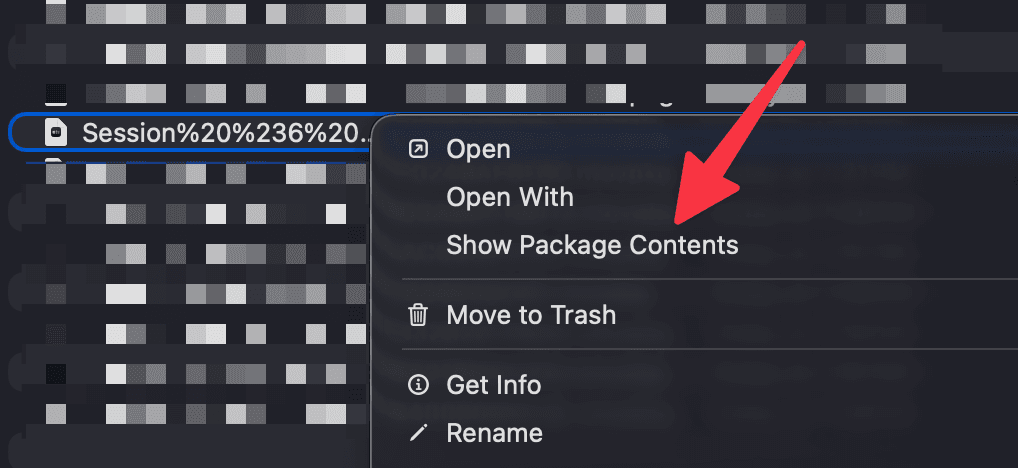
Now you'll see a bunch of folders that look like this:
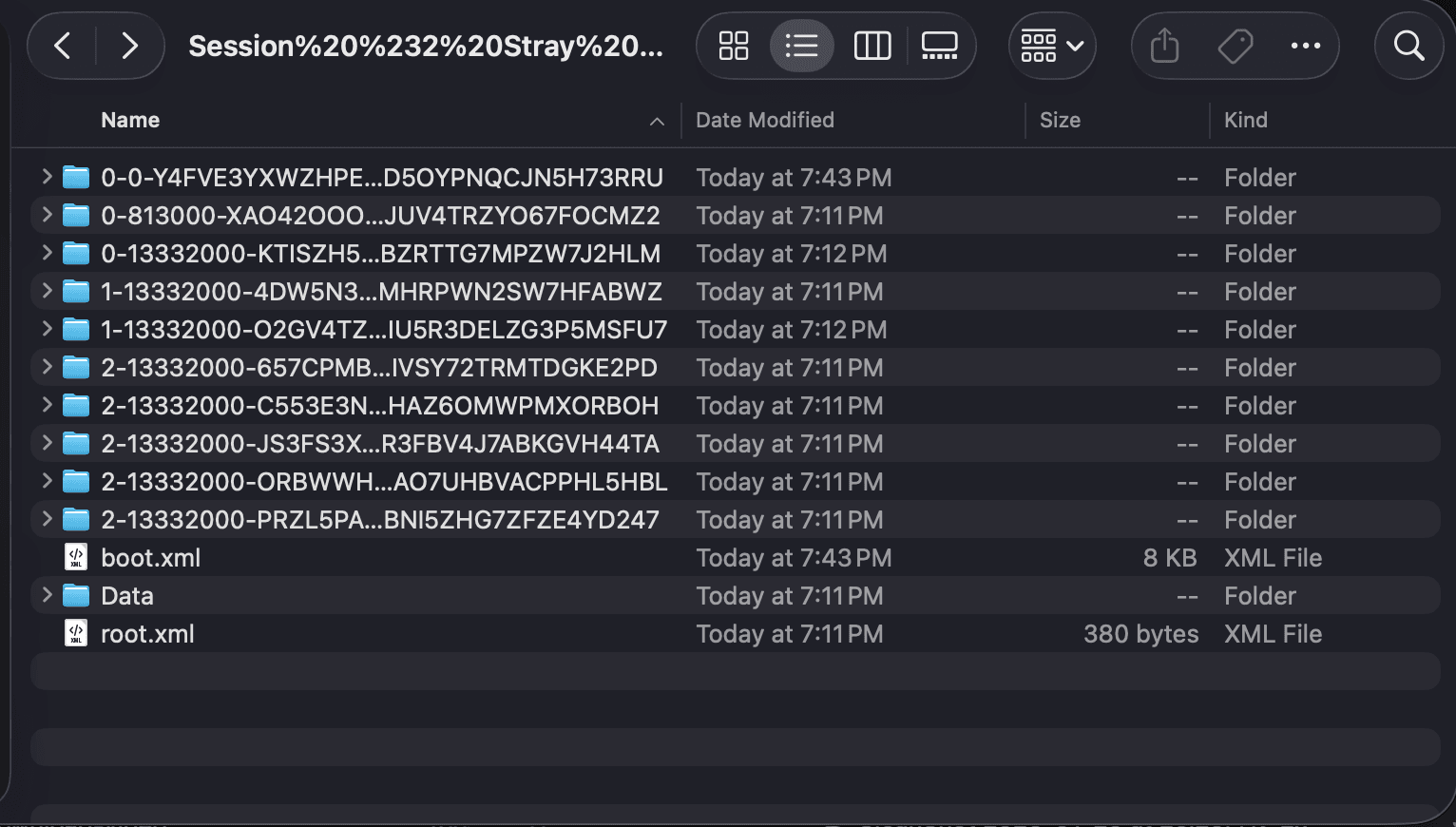
Inside each folder there should be a .frag file:
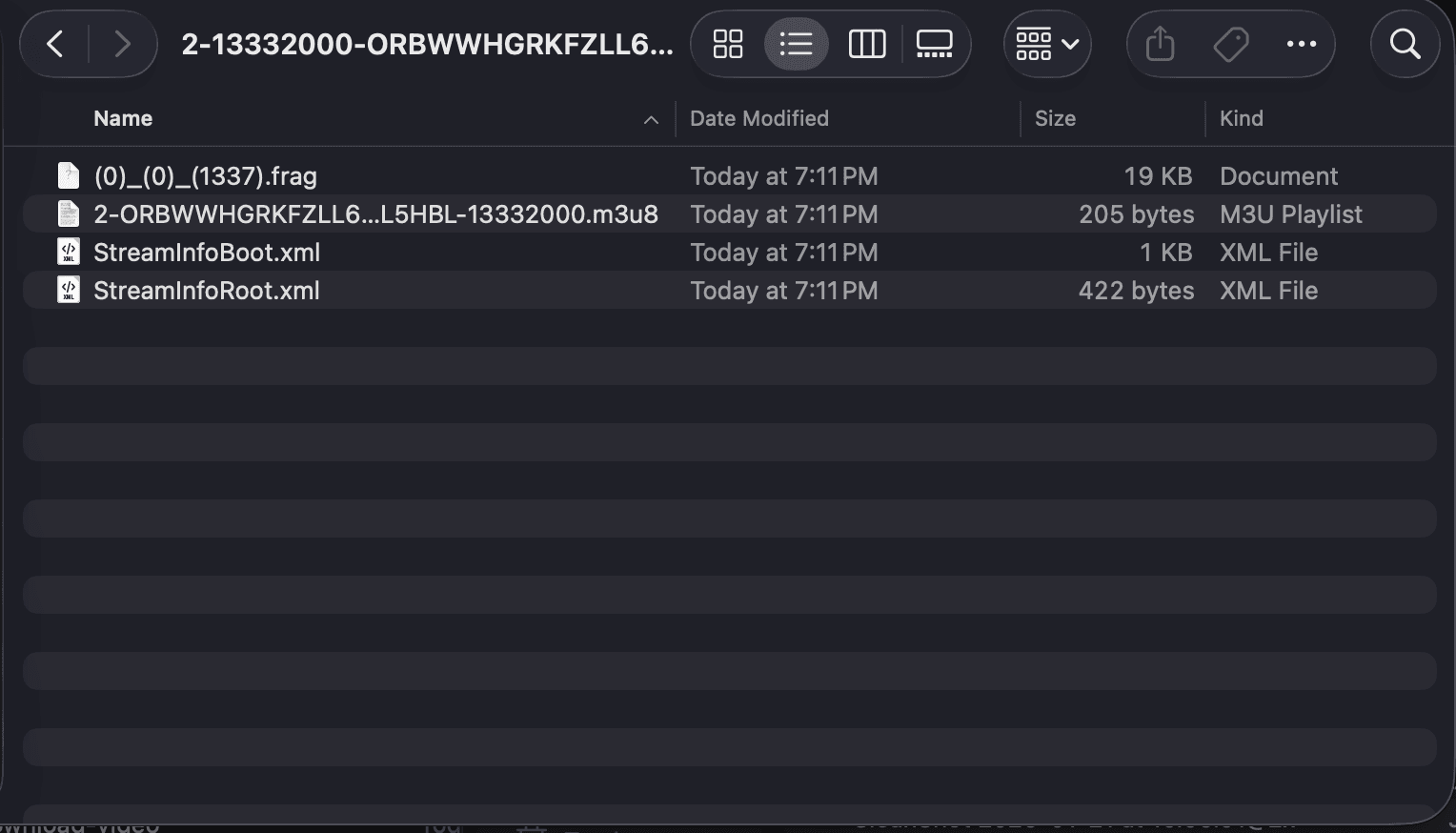
These .frag files are the VTT subtitles/captions files!
Now we'll need to do a bit of searching...
Open each .frag file (in TextEdit or another text editor) and look for the one with English captions.
NoteYou may need to right click and Open With > TextEdit to open the .frag files
It should have a format like this that defines the captions and timestamps:
WEBVTT X-TIMESTAMP-MAP=MPEGTS:900000,LOCAL:00:00:00.000 00:00:27.416 --> 00:00:29.458 ♪ I THINK IT'S TIME WE BLOW THIS SCENE. ♪
Once you've found the English .frag file, we're ready to fix the captions syncing (finally!)
Step 4: Fix the caption timestamps
You'll want to use a free tool like SubtitleTools (or just Google "VTT shifter").
Upload the .frag file and choose how early/delayed the captions are.
NoteTo identify how offset the captions are, find the timestamp of first line of dialogue in the .frag file, e.g. "00:00:27.416 --> 00:00:29.458". Then watch the video on Prime Video, and find when the dialogue is actually said (e.g. at 15 seconds, not 27 seconds). Subtract the difference to get a ~12 second offset.
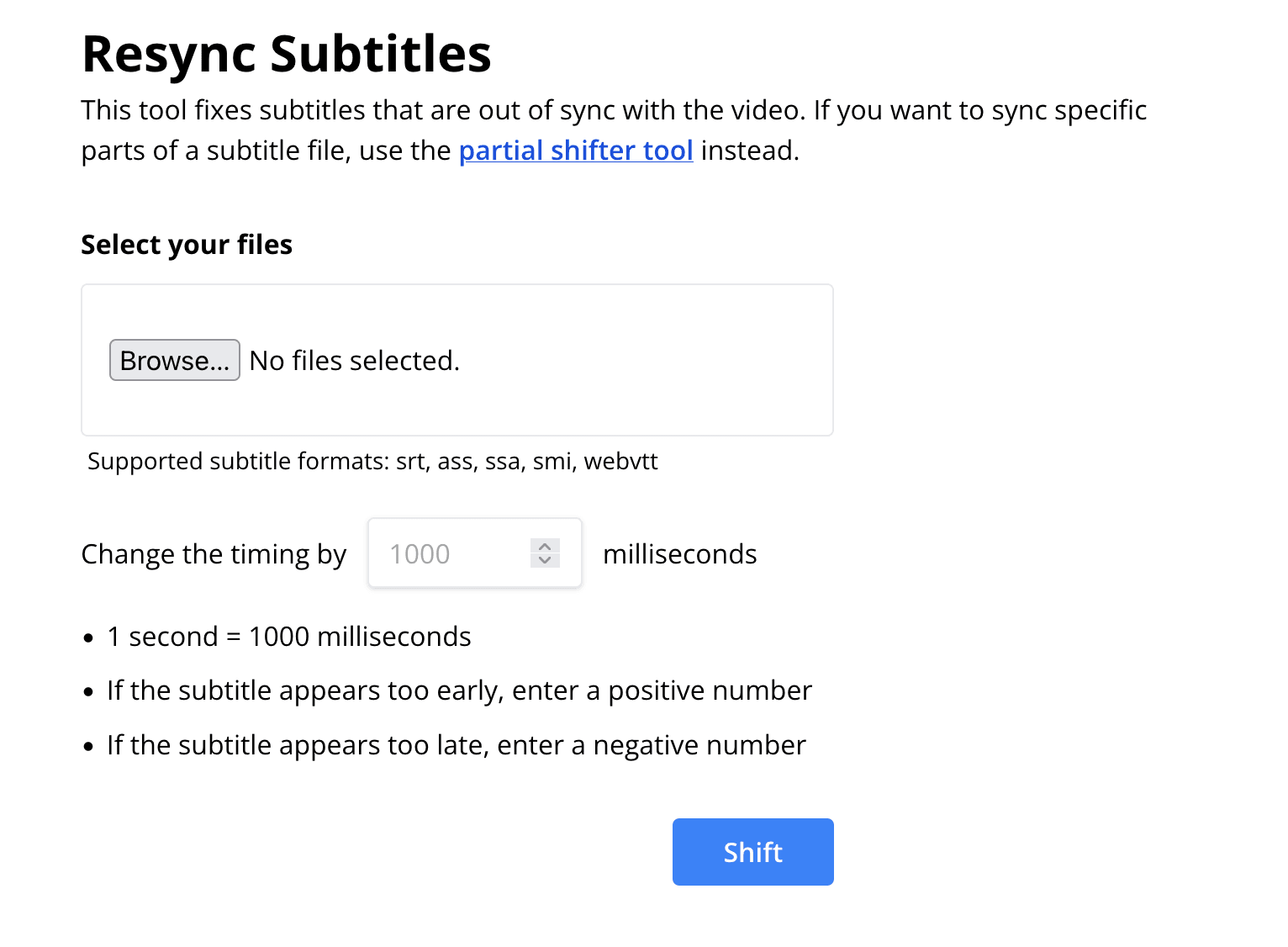
Re-sync and download the new file.
Now this next step is very important, or else the video won't play
-
Open the NEW
.fragfile (or.vttif it was renamed). -
COPY the contents of the NEW file.
-
Open the OLD
.fragfile. -
SELECT ALL and PASTE (to replace everything with) the new content.
ImportantIt will NOT work by deleting the old file and replacing it with the new file. You need to keep the original .frag file and copy/paste the new content.
Now close and re-open Prime Video app
Your subtitles and captions will now be properly synced! 🎉 🥳
You can repeat this process as needed (it's tedious, I know, but it works).
Food for thought
Someone could probably write a small script to automate this, given a known timestamp offset, to bulk fix videos. Vibe coders, I choose you!
Wrapping up
Hope this helps! I randomly came across tons of these forum/Reddit posts, and even though I'm not a heavy Prime Video user, it felt like a fun little problem to tackle (plus I didn't see anyone sharing an actual solution).
Feel free to share any thoughts or your experiences :)
Join my newsletter for lessons, experiments, and failures in bootstrapping online businesses.
Sign up if you're curious. I’ll only email you if it's actually good.

Meet the Author
Ryan Chiang
Hello, I'm Ryan. I build things and write about them. This is my blog of my learnings, tutorials, and whatever else I feel like writing about.
What I'm currently building →.